Community terms acceptance lets administrators require participants to accept documents specific to a community before they enter it, such as community guidelines or a study participation agreement.
The texts of these documents are created and edited by the administrators themselves, which makes it possible to adapt the rules and commitments of each community.
Think of Community terms acceptance as an agreement step before participation. In addition to the platform's general terms, each community can have its own documents, which the participant must accept in order to enter.
Where to find it
To access it, follow the path: Settings > Privacy > Community terms acceptance.


Enable terms acceptance
On the Community terms acceptance screen, turn on the Enable community-specific terms acceptance option in the upper right corner. With the option on, participants will need to accept the registered documents before entering the community.
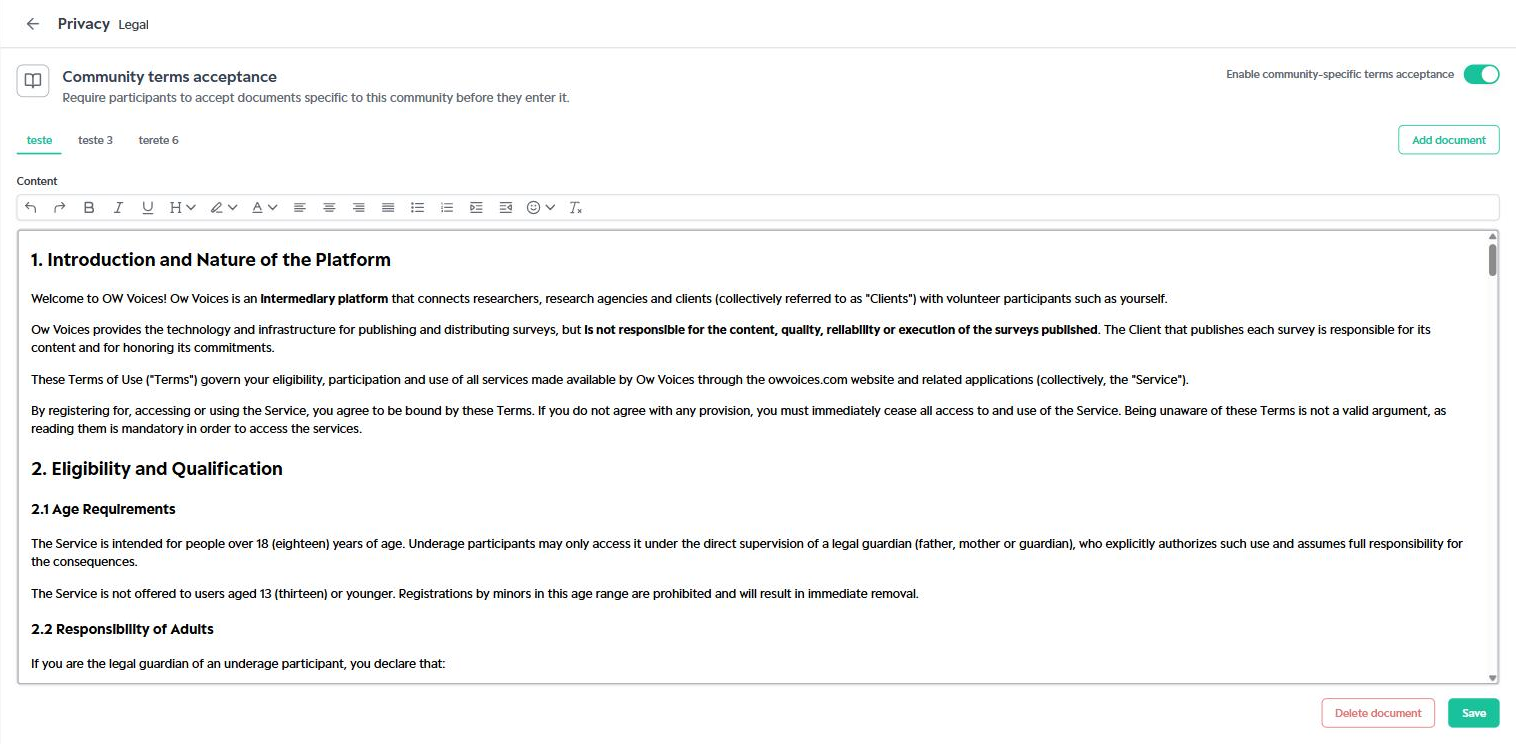
Each registered document appears as a tab above the editor. When you select a tab, the document's content is displayed in the Content field.
Add a document
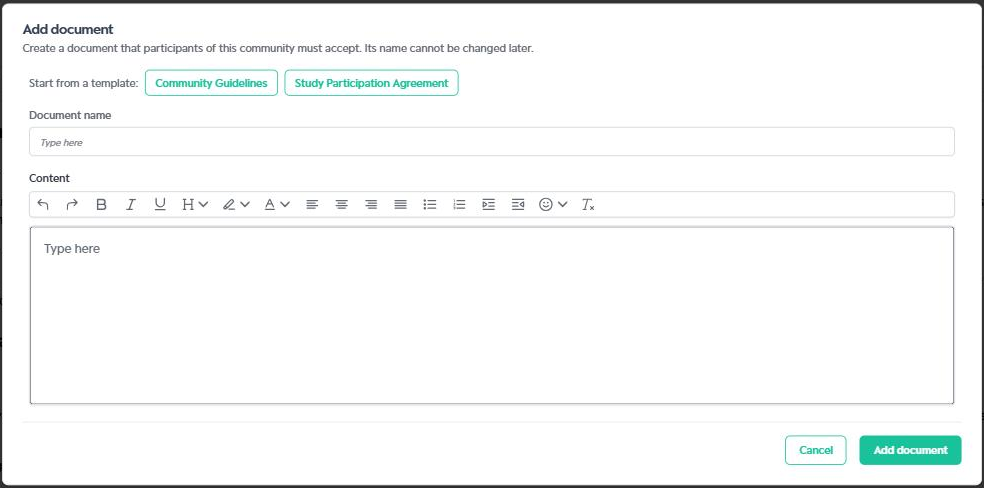
1. Click Add document.
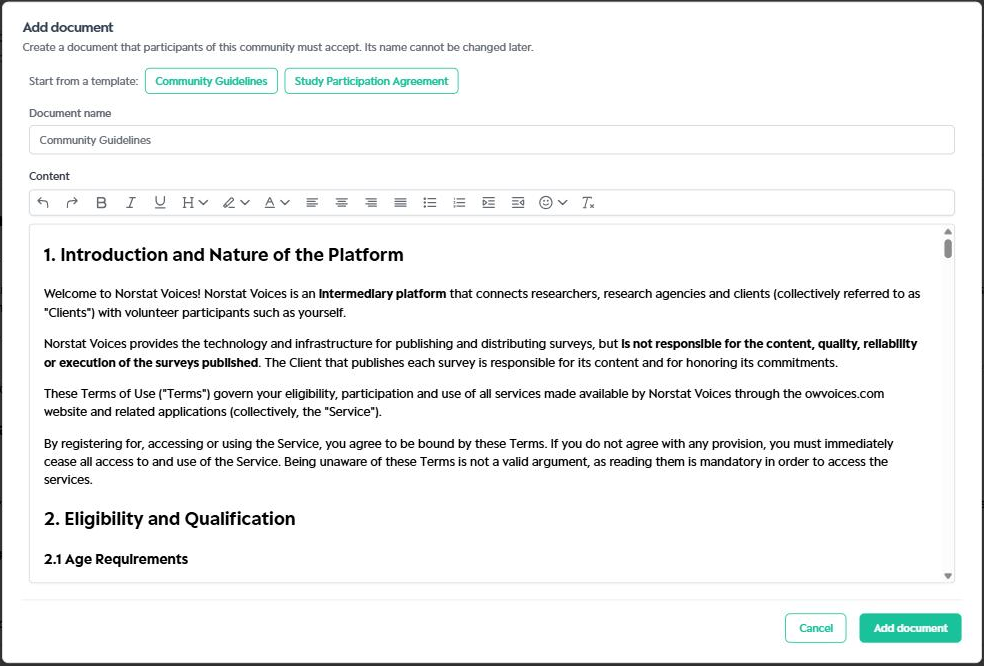
2. If you wish, start from a template: Community Guidelines or Study Participation Agreement. The template automatically fills in the document's name and content.
3. Fill in the Document name.
4. Write or adjust the text in the Content field. The editor supports bold, italic, underline, headings, highlight, colors, alignment, lists and emojis.
5. Click Add document to finish.
Important note:
The document name cannot be changed after it is created. If you need to change the name, create a new document and delete the previous one.
Edit or delete a document
Edit: Select the document's tab, change the text in the Content field and click Save.
Delete: Select the document's tab and click Delete document.
Important tip:
Use the templates as a starting point and review the text so that it reflects your community's rules and context before enabling acceptance for participants.
Was this article helpful?
That’s Great!
Thank you for your feedback
Sorry! We couldn't be helpful
Thank you for your feedback
Feedback sent
We appreciate your effort and will try to fix the article