The Media tab gathers all responses submitted by participants in media format within the community. In this section, you can view content such as images, videos, and audio files shared in activity tasks.
This view allows you to access these materials in a centralized way, facilitating navigation and the analysis of visual and audio content submitted by participants throughout the study.
Export
In the Media tab, it is possible to export all responses in media format in different types of views and formats.
To export, click the Export button next to the filters.

When clicking the button, select the file name and the type of content to save. “Media only” saves only the media from the responses, “Transcription only” saves only the transcriptions, and “Both” saves both.
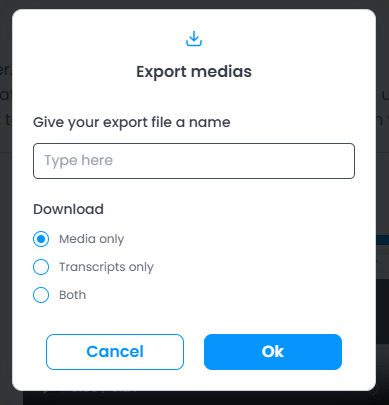
When selecting either Both or Transcription only, you can choose the format in which the file will be generated.
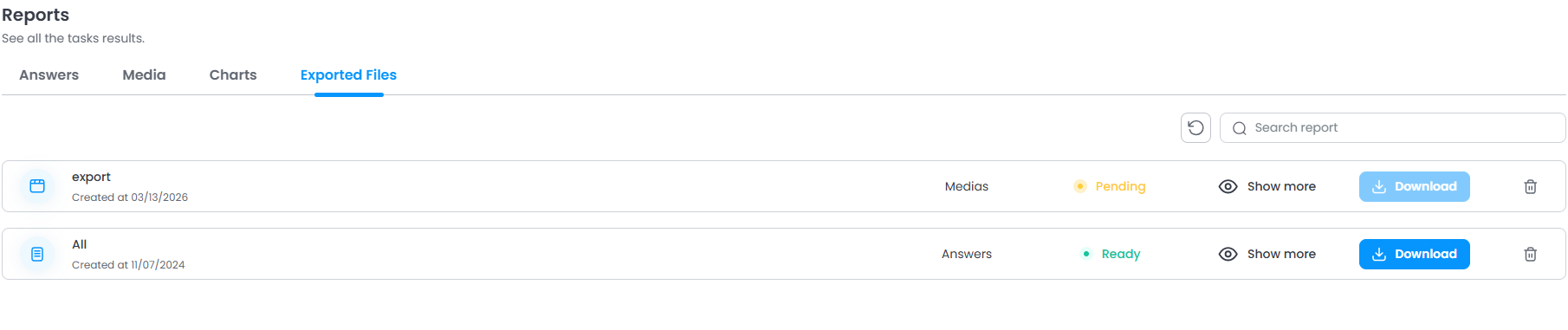
To access the exported files, go to the “Exported Files” tab.