Viewing responses in video format allows administrators to access content submitted by participants in this format within the platform. In tasks that require this type of response, participants can share videos related to the activity's topic, such as a presentation video or a personal experience account.
This type of response is used when the goal is to record situations, opinions, or contexts in more detail, such as showing products they use, everyday environments, or experiences related to the research topic.
In addition to video playback, the platform also provides an automatic transcription of the content into text, making it easier to read and analyze the responses. This transcription can also be exported in .docx and .xlsx formats.
Viewing a Video Transcription
To view a video transcription, go to the Media tab and find the desired video using the filters.
Below the video, there is a button labeled "Transcribe."
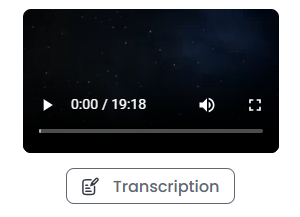
Click the button, wait for the transcription to load, and access the video's transcription.
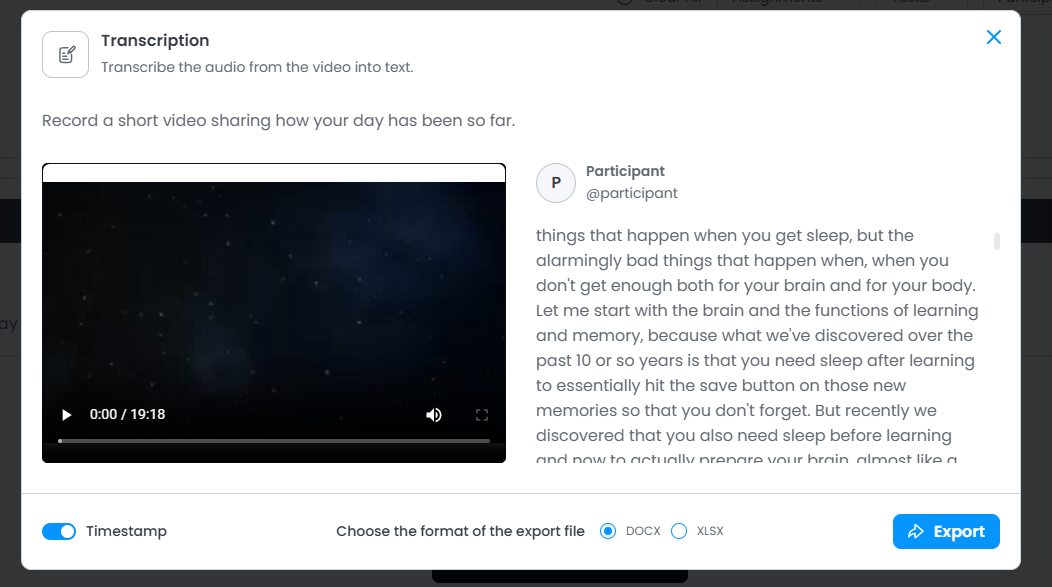
At the bottom, you can see the export format and the Export button to save the file to your computer.
Export
It is still possible to export the transcript in .docx and .xlsx formats, to do this, with the transcript open click the Export button.

Then you can select where to save the file on your device.
Was this article helpful?
That’s Great!
Thank you for your feedback
Sorry! We couldn't be helpful
Thank you for your feedback
Feedback sent
We appreciate your effort and will try to fix the article