After inviting participants, follow and manage registrations in Participants > Manage. This area has four tabs: Registered, Invited, Profiles and Notifications.
The available actions depend on your access type. See Access types - Administrator and Access types - Moderator.
INDEX
Registered
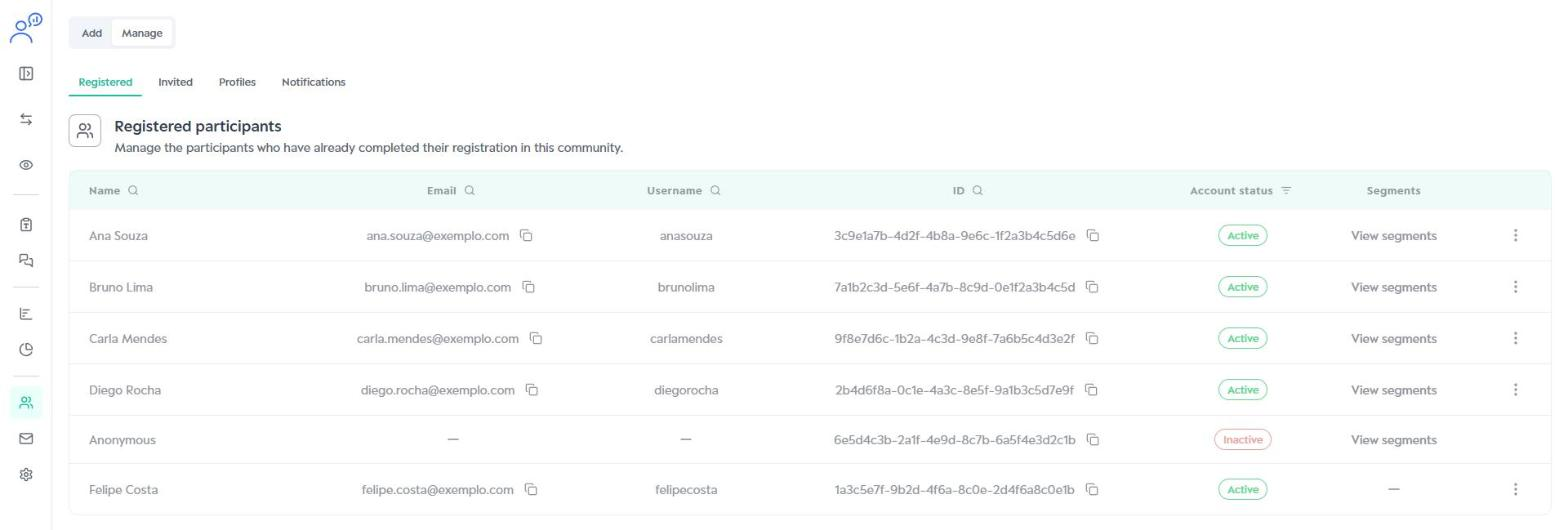
Lists the participants who have completed their registration in the community, with these columns:
- Name and Username: set by the participant at registration.
- Email: the address used for the invitation and notifications.
- ID: a unique identifier created by the platform for each participant.
- Account status: shows whether the access is active or inactive.
- Segments: click View segments to check the participant's segments.
Use the search icons in the headers to find a participant and the copy icon to copy emails and IDs.
Editing or deactivating a participant
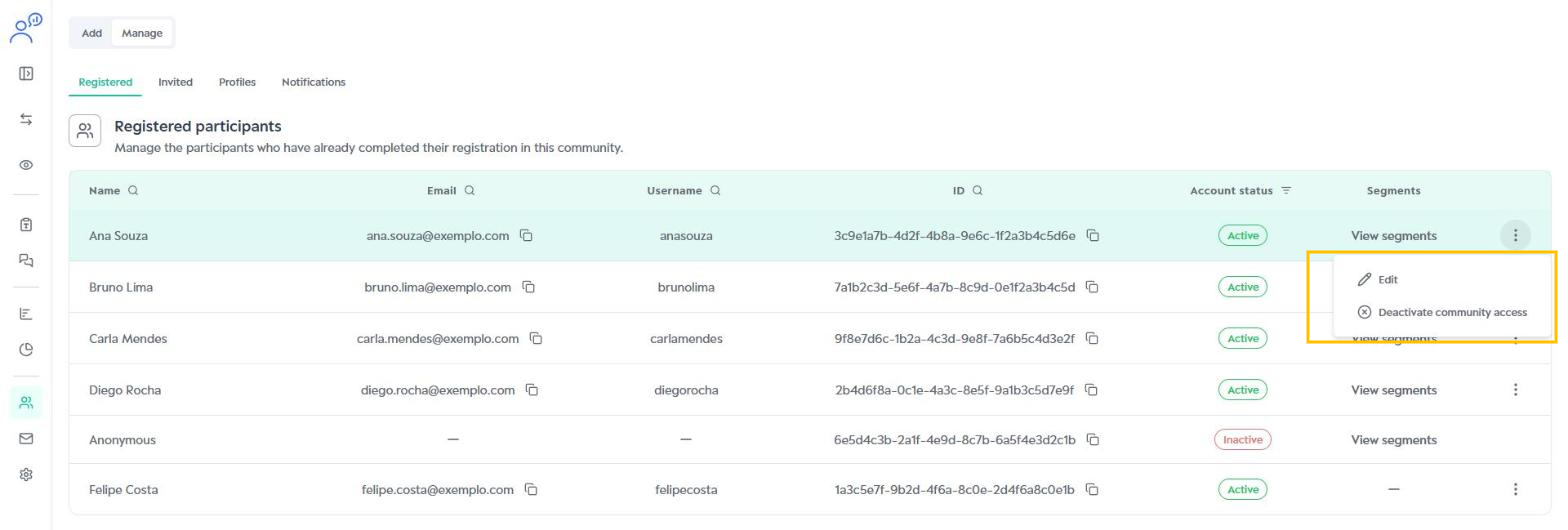
Click the three dots next to the participant to see the options:
- Edit: changes the participant's name, username and segments.
- Deactivate community access: prevents the participant from accessing the community.
In the Edit participant data window, make the changes and click Save.
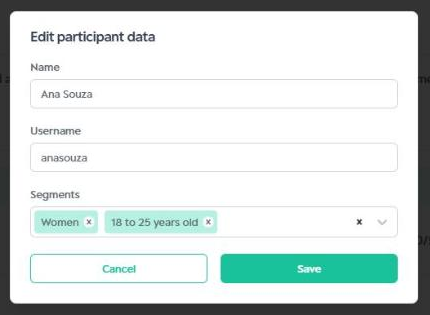
Changing a participant's segments changes which activities they can see and answer.
Invited
Lists the participants who received the email invitation but have not completed their registration yet. Use this tab to check whether an invitation was sent and who still needs to register.
Profiles
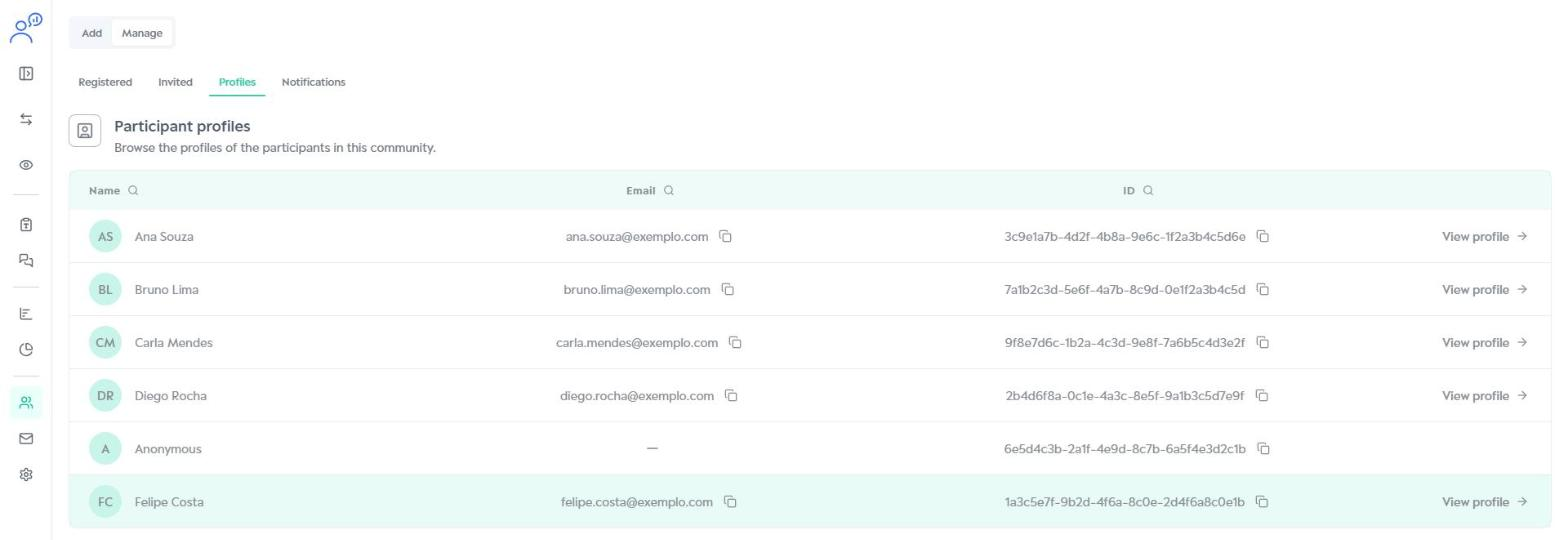
Shows the profile of each registered participant, with name, email and ID. To see someone's details, click View profile.
View profile
The Participant profile page brings together the participant's ID, email, creation date, last login and segments. It has three tabs:
- Answers: the participant's answers to the activities.
- Statistics: progress in the activities (completed, incomplete and not started) and the task progress of each activity.
- Email tracking: the history of emails sent to the participant.
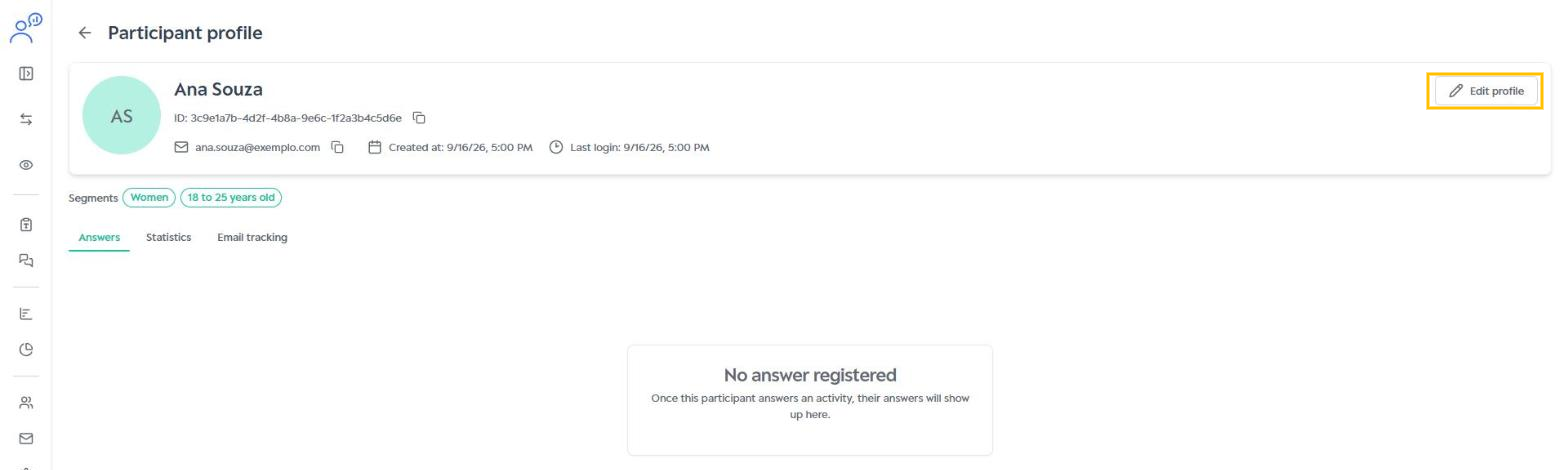
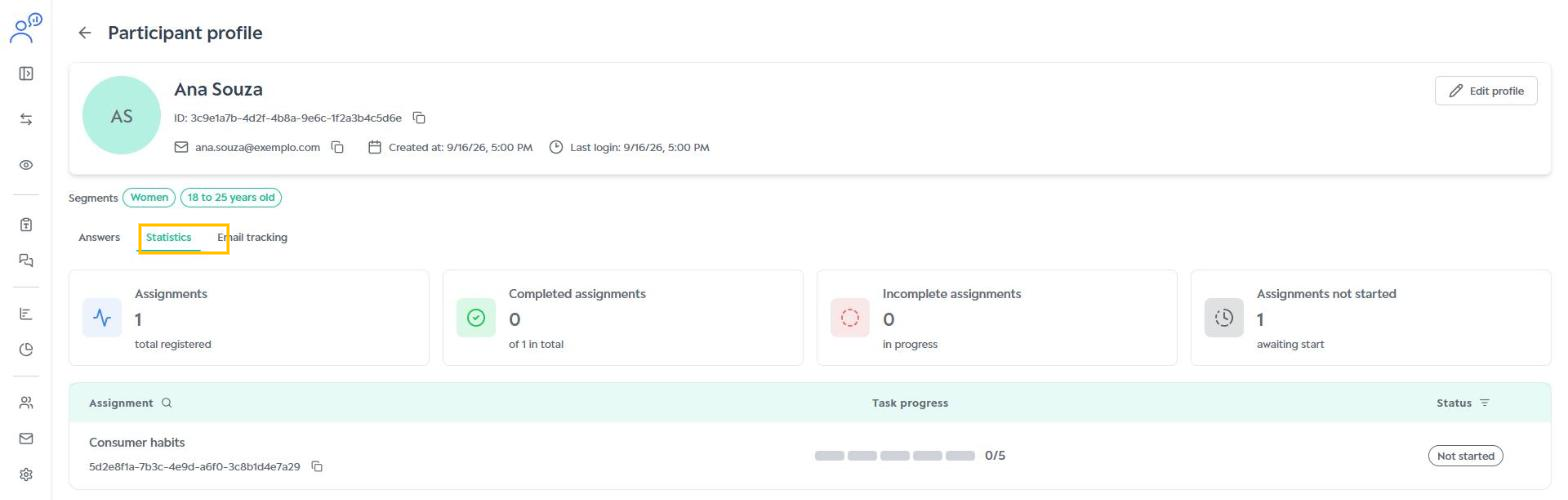
The Edit profile button opens the same editing window used in the Registered tab.
Tip
Use these lists to help participants. If someone forgets their login email, check the Registered tab. To quickly check a participant's segments, use Profiles.
Was this article helpful?
That’s Great!
Thank you for your feedback
Sorry! We couldn't be helpful
Thank you for your feedback
Feedback sent
We appreciate your effort and will try to fix the article